本篇文章主要記錄測試使用Nano Banana的過程,快速記錄個人經驗。
今天測試分兩個部分
- 工地現場施工照片轉渲染照
- 既有渲染圖片調整細節材質與
工地照 → 渲染設計#
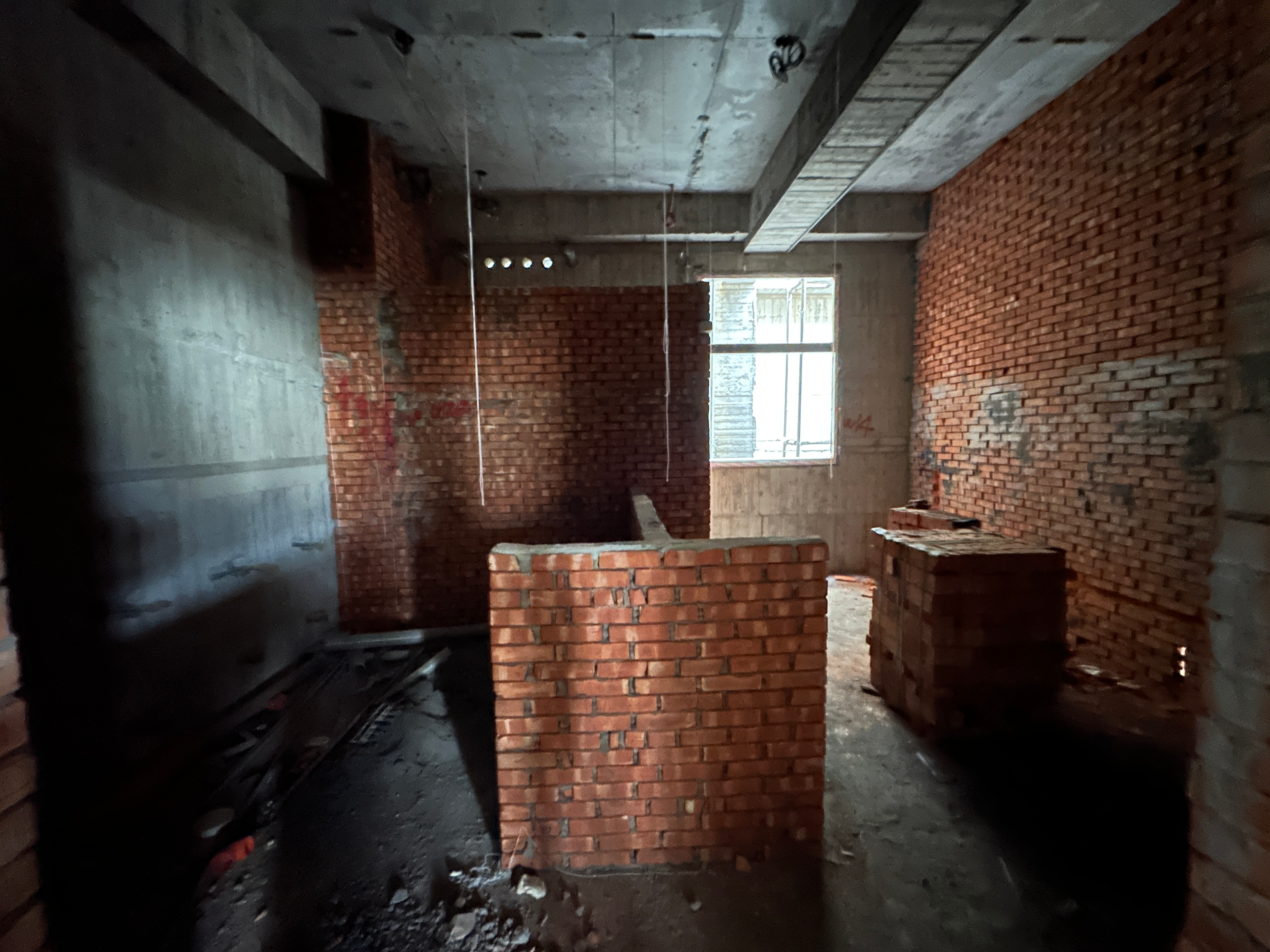
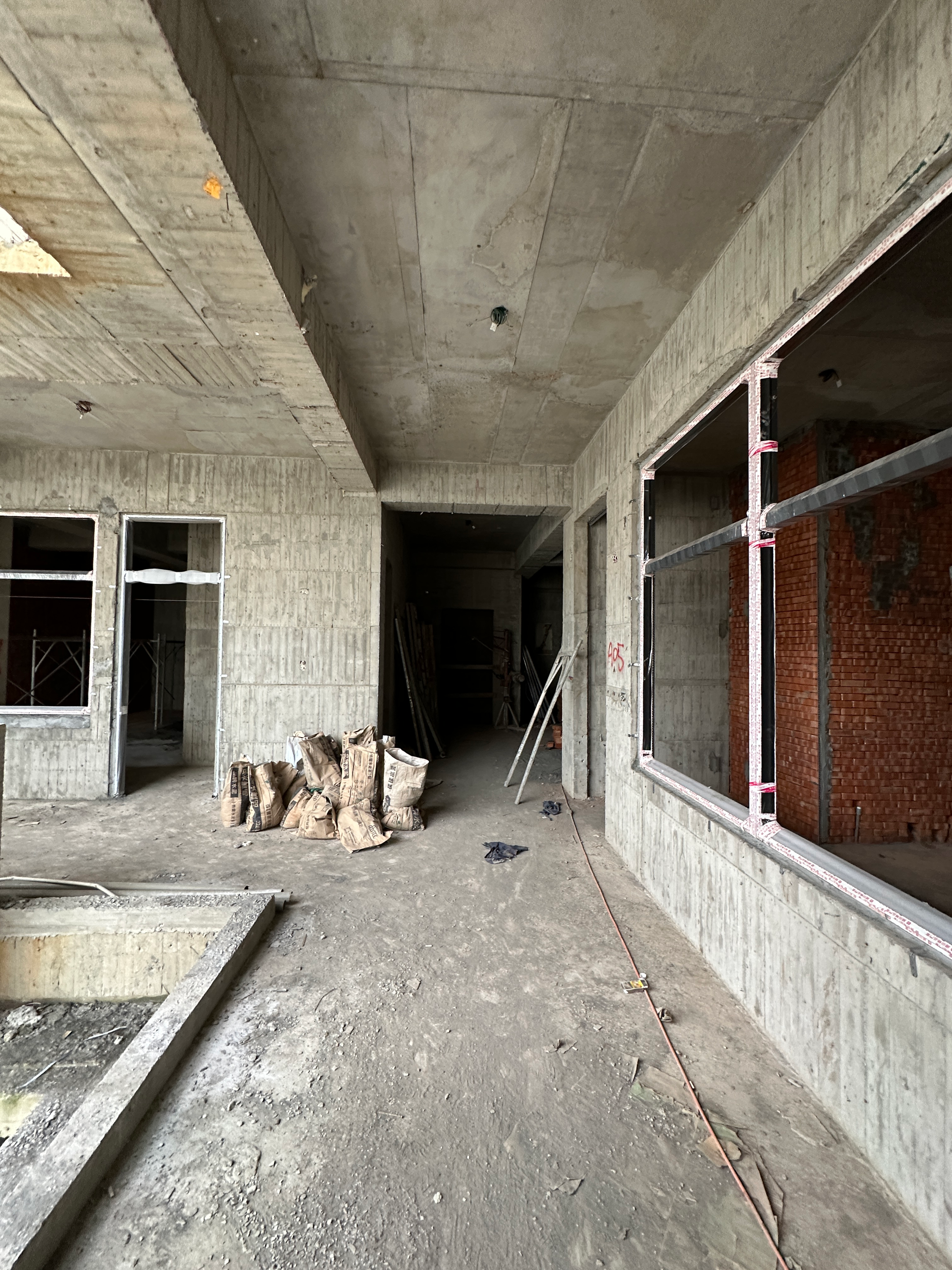
主要是想測試是否能從現場照片(僅有部分牆體)直接對室內空間進行設計。
首先是測試風格轉換,算測試Nano Banana的構圖控制力
| 現場照片1 | 現場照片2 | 參考風格圖片 |
|---|---|---|
 |  | 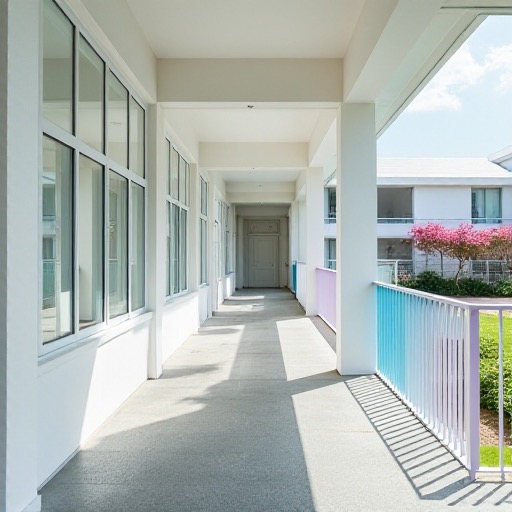 |
本次測試先透過ChatGPT將這張風格照片轉成“風格文字描述”,再作為文字Prompt提供給Nano Banana
ChatGPT 5 Instant:
“Minimalist contemporary architecture style, emphasizing clean geometric lines and uncluttered surfaces. Bright white facades that reflect natural light, smooth matte finishes, and a sense of crisp purity. Accents in pastel tones, such as soft blue and pink, add a subtle playful contrast to the otherwise neutral palette. Large glass elements evoke openness and transparency, while the overall atmosphere feels airy, calm, and serene. The style conveys modern simplicity, refined elegance, and a fresh, tranquil ambiance”
第1-1階段#
| Prompt | 圖片 | |
|---|---|---|
| 輸入 | Convert the image into the following described style: Minimalist contemporary architecture style, emphasizing clean geometric lines and uncluttered surfaces. Bright white facades that reflect natural light, smooth matte finishes, and a sense of crisp purity. Accents in pastel tones, such as soft blue and pink, add a subtle playful contrast to the otherwise neutral palette. Large glass elements evoke openness and transparency, while the overall atmosphere feels airy, calm, and serene. The style conveys modern simplicity, refined elegance, and a fresh, tranquil ambiance | |
輸出:
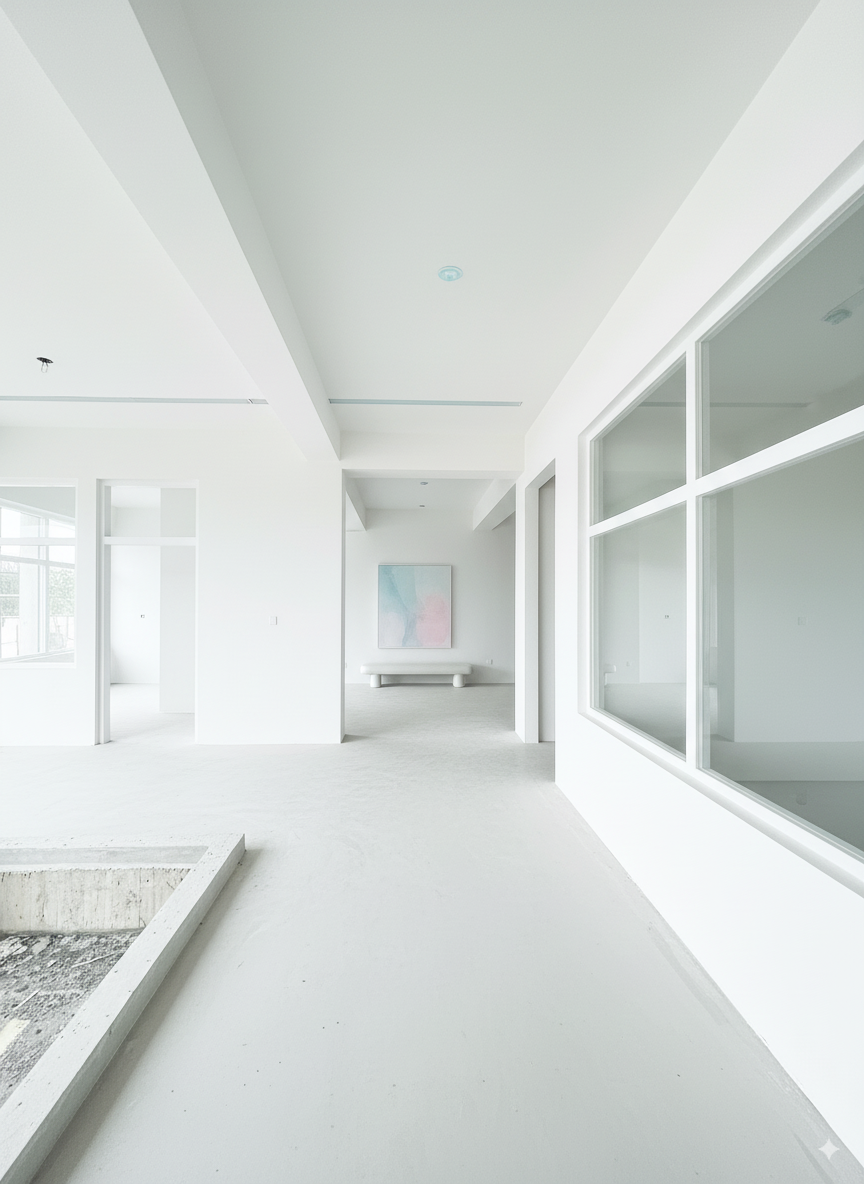
可以看到圖片輸入與輸出比例有些微差異
第1-2階段#
給Nano Banana輸入
| Prompt | 圖片 |
|---|---|
| Convert the image into the following described style: Minimalist contemporary architecture style, emphasizing clean geometric lines and uncluttered surfaces. Bright white facades that reflect natural light, smooth matte finishes, and a sense of crisp purity. Accents in pastel tones, such as soft blue and pink, add a subtle playful contrast to the otherwise neutral palette. Large glass elements evoke openness and transparency, while the overall atmosphere feels airy, calm, and serene. The style conveys modern simplicity, refined elegance, and a fresh, tranquil ambiance | |
生成
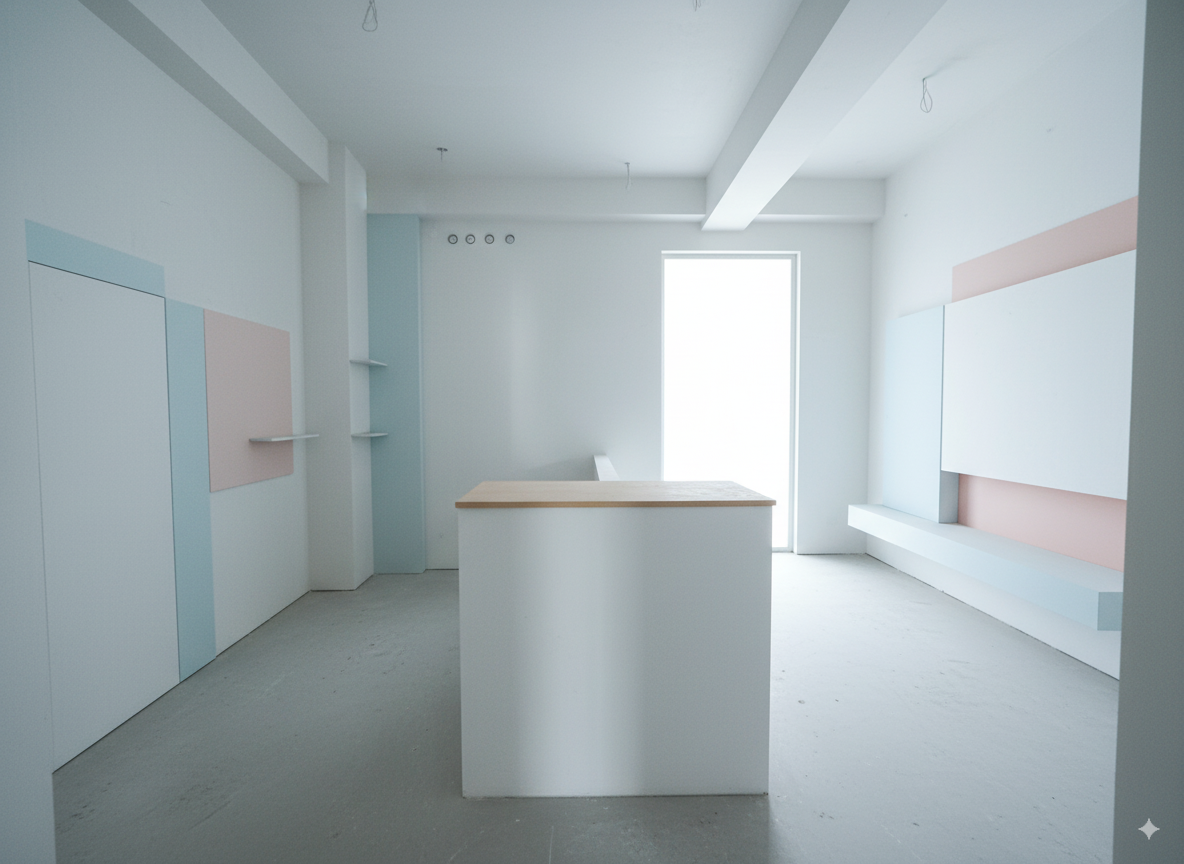
接著繼續對話,給他提示這個空間的主要內容
This rendering needs to be corrected, as the intended function of the space was misunderstood. This is actually a kindergarten restroom designed specifically for young children. The right side should be designated as the boys’ restroom, and the left side as the girls’ restroom. In the center, the low partition wall should have sinks on both sides for the children to wash their hands. Additionally, the opening at the back right is meant to be a window, not a door. Please update the design accordingly.
輸出
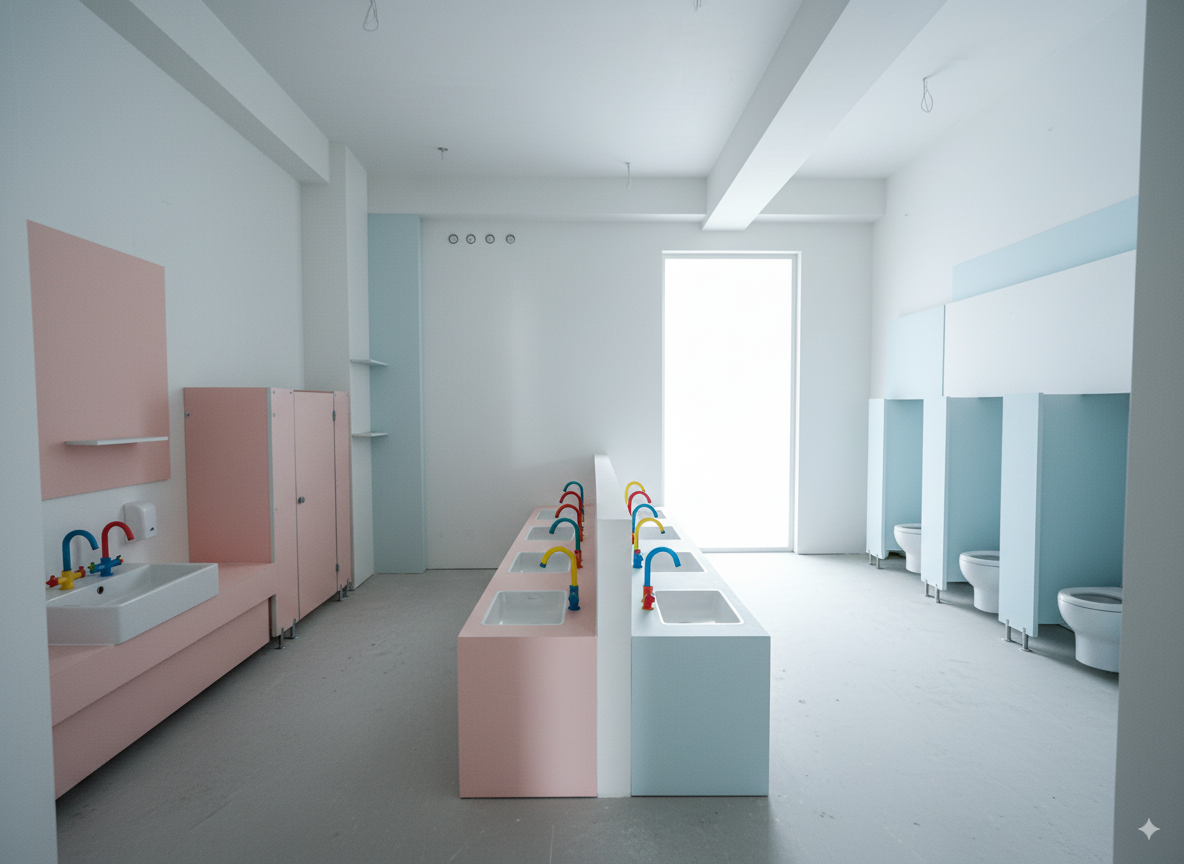
第1-3階段#
測試直接給予更完整的Prompt,同時包含風格與室內空間說明
Convert the image into the following described style:
Minimalist contemporary architecture style, emphasizing clean geometric lines and uncluttered surfaces. Bright white facades that reflect natural light, smooth matte finishes, and a sense of crisp purity. Accents in pastel tones, such as soft blue and pink, add a subtle playful contrast to the otherwise neutral palette. Large glass elements evoke openness and transparency, while the overall atmosphere feels airy, calm, and serene. The style conveys modern simplicity, refined elegance, and a fresh, tranquil ambiance.
The image represents a kindergarten restroom designed for children. The right side is designated as the boys’ restroom, and the left side is designated as the girls’ restroom. At the back right, the opening shown is actually a window
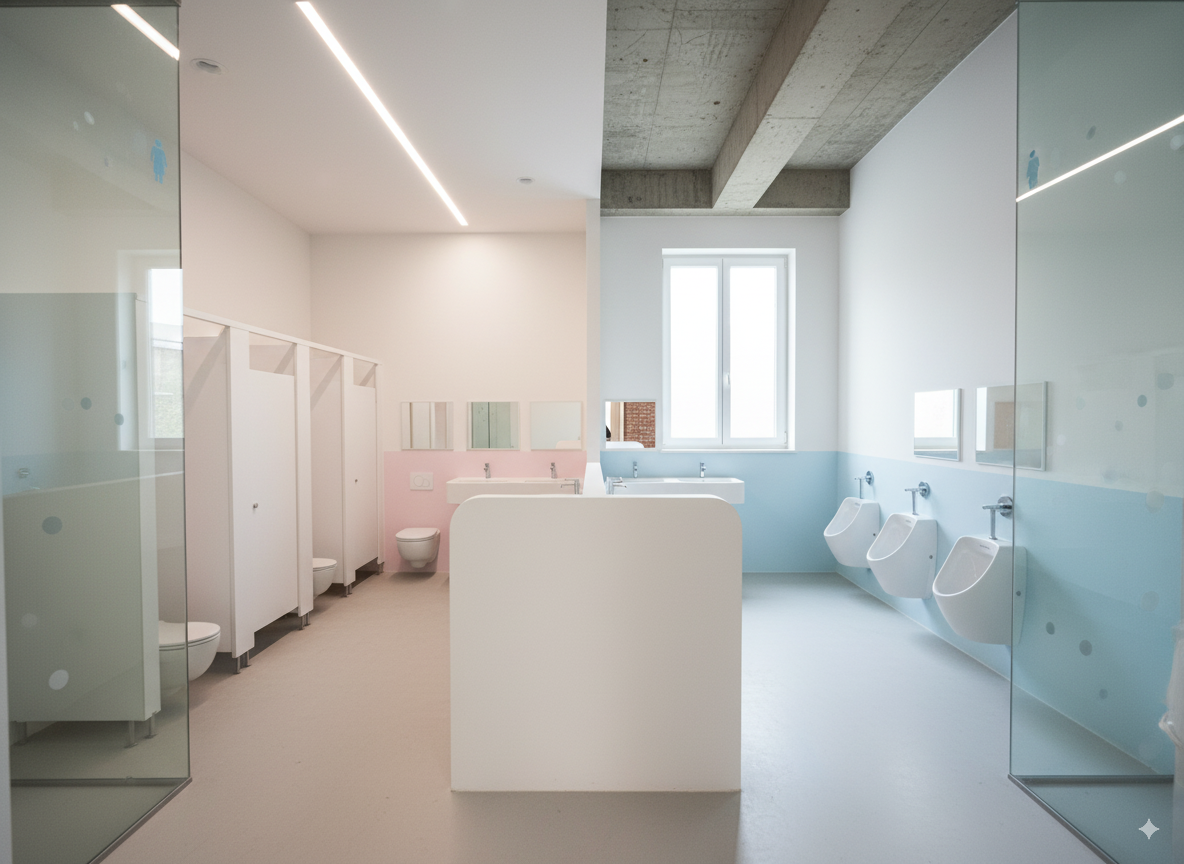
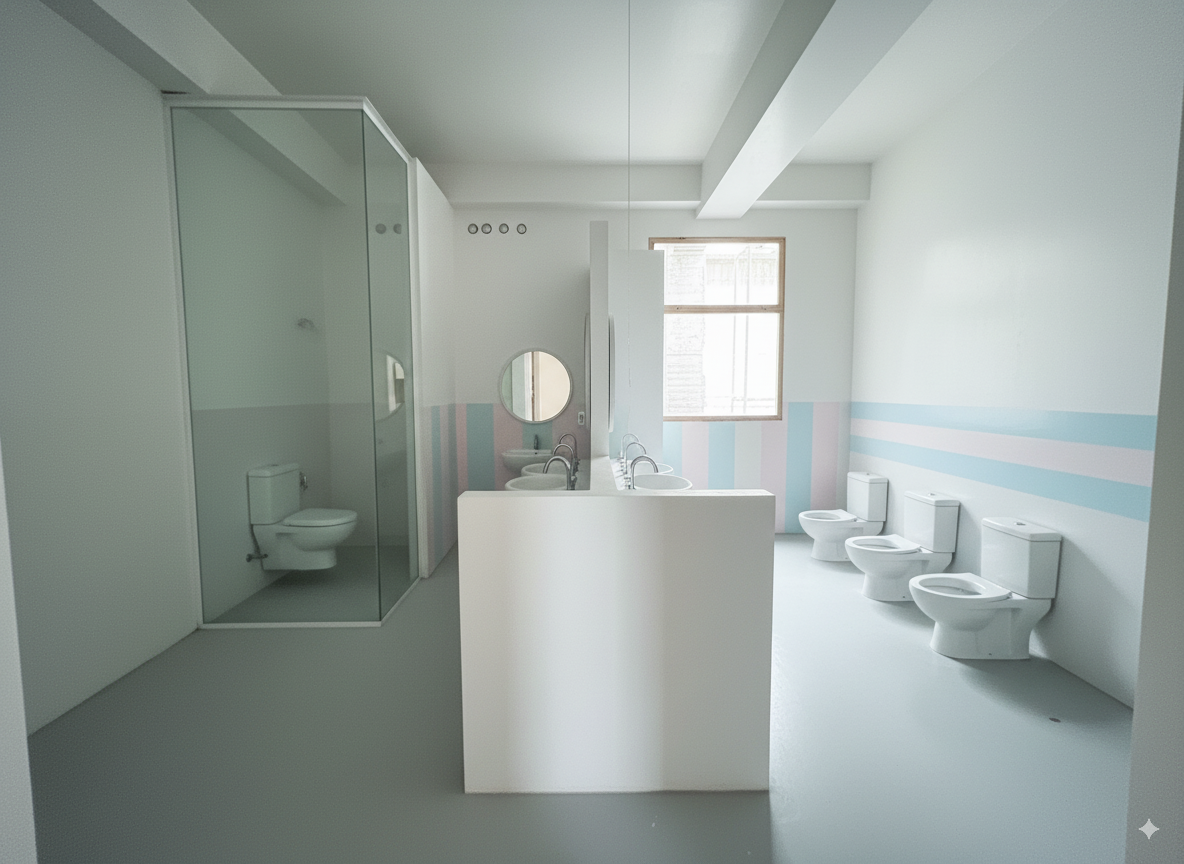
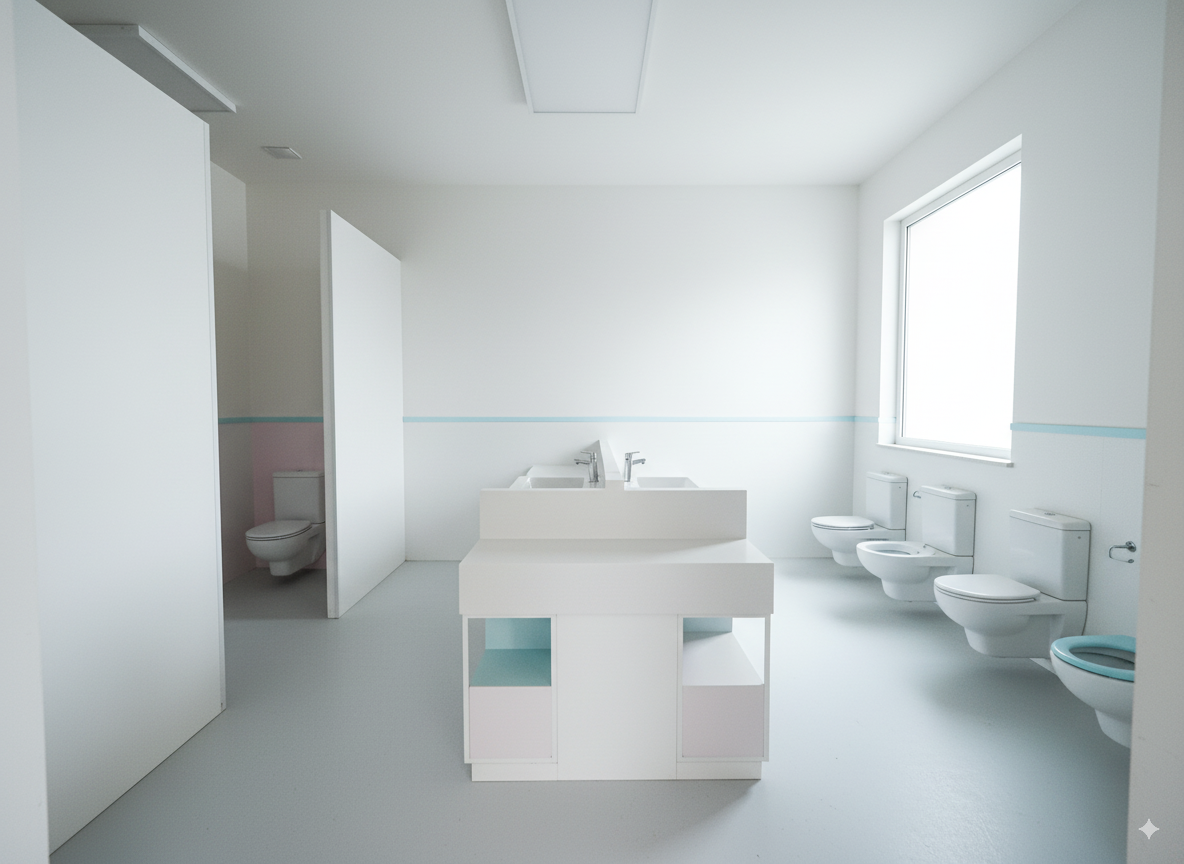
第2-1階段#
接著換另一種參考圖片,預計是完全參考這張海報上的裝潢材質與風格
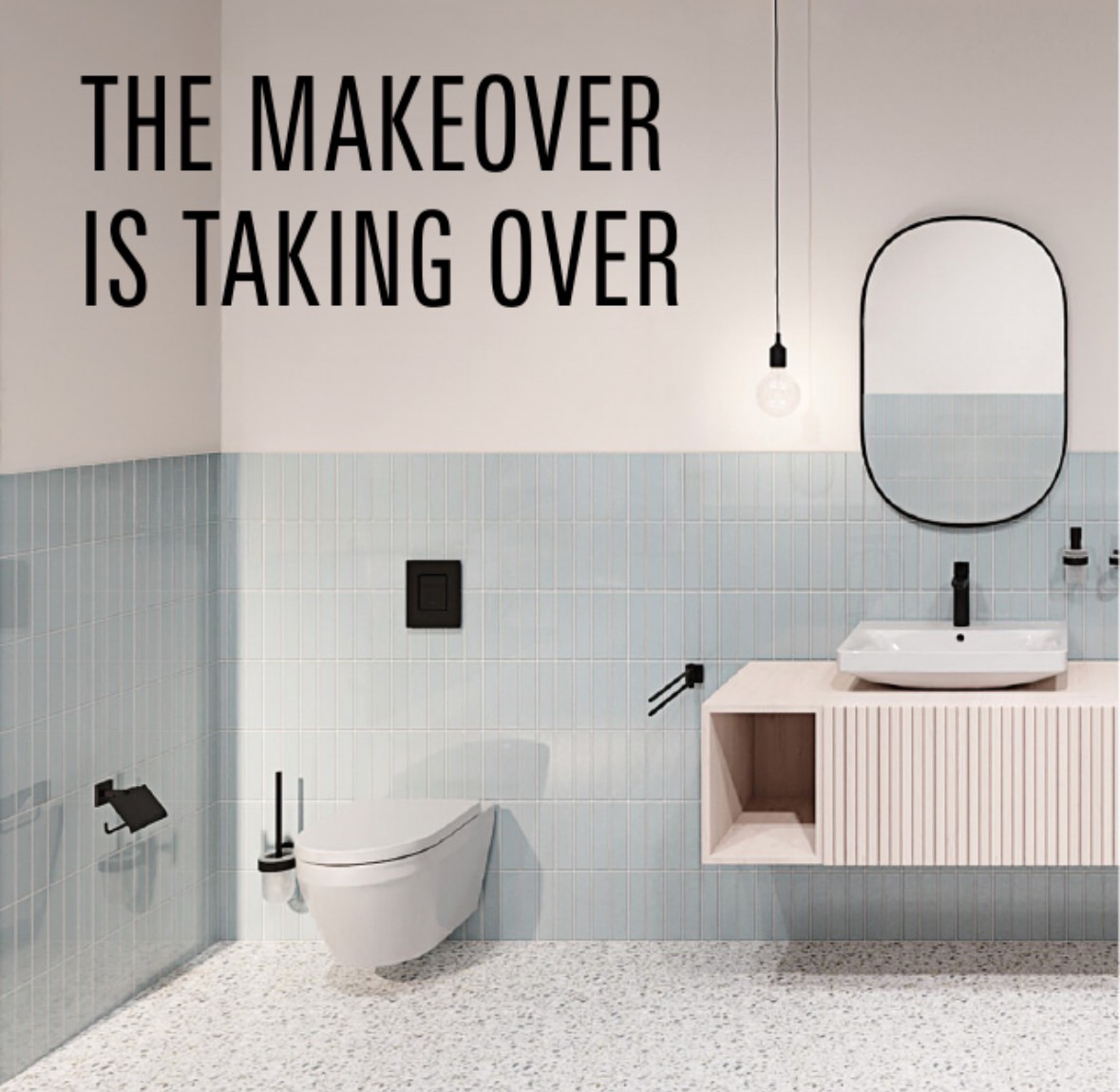
先測試直接給底圖+風格參考圖+文字prompt
輸入:
| prompt | 現場照片 | 參考風格海報 |
|---|---|---|
| 將目前粉藍色的這個廁所渲染圖的整體室內裝潢風格,轉換成這張海報上的材質與風格。 | | |
輸出:
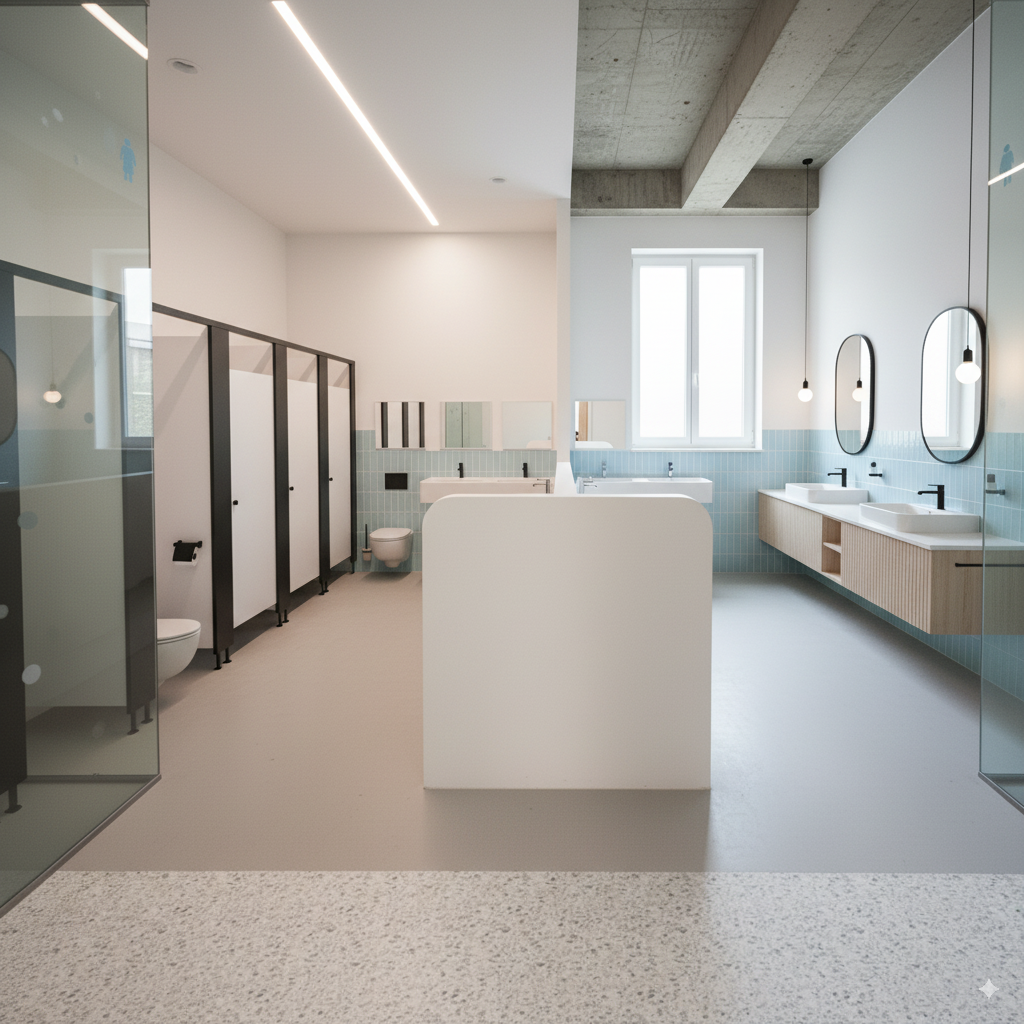
構圖整個失控
第2-2階段#
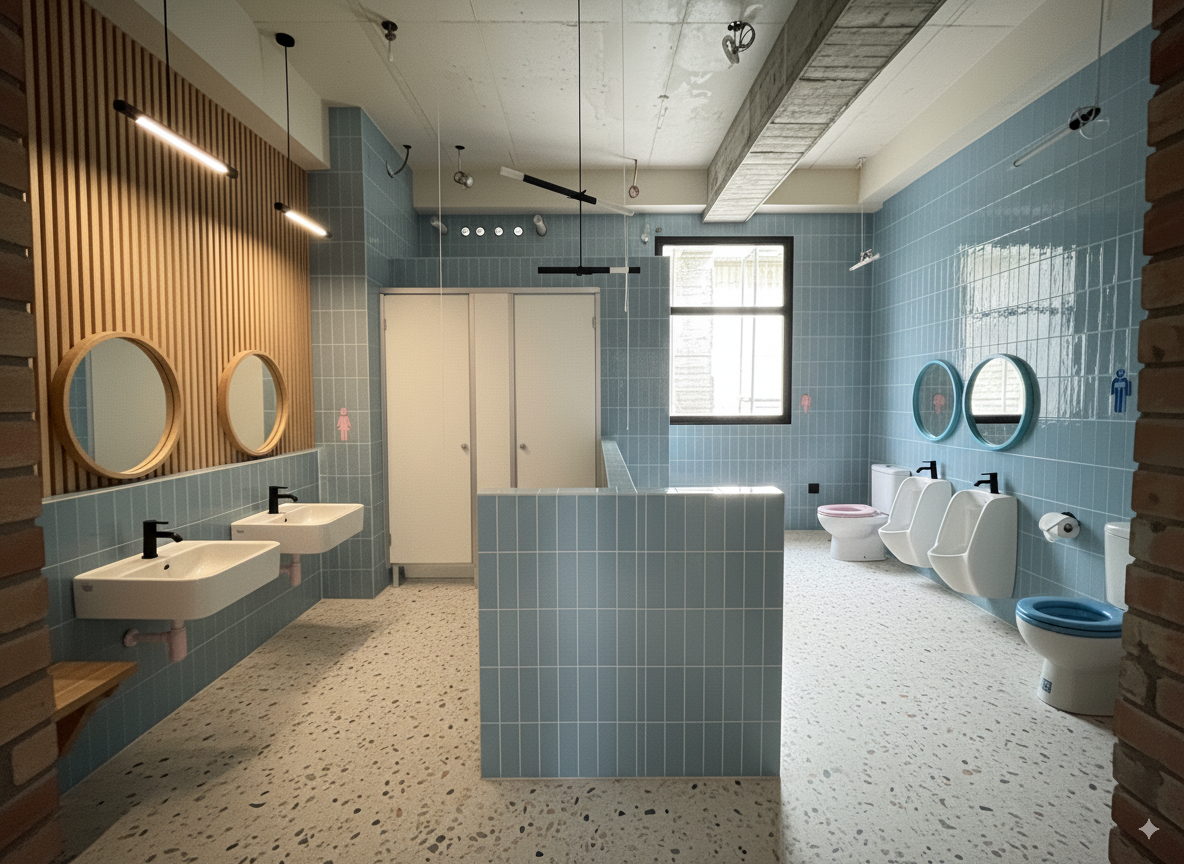
後來是先把海報透過gemini-2.5-pro轉成文字prompt,連同底圖一起傳給nano banana,方法跟前面一樣。
效果最好的prompt如下:
Convert the image into the following described style:

### **Detailed Element Descriptions**

#### **Color Palette**
*   **Primary Colors:** The dominant colors are a soft **powder blue** or sky blue, and a warm **off-white** or cream.
*   **Accent Color:** A bold **matte black** is used consistently across all fixtures and hardware, providing a strong graphic contrast.
*   **Natural Tones:** A **light, natural wood** tone (like pale oak or ash) adds warmth and an organic element.
*   **Neutral Base:** The floor is a neutral base of **light grey and white** with multi-tonal specks.

#### **Walls**
*   **Treatment:** The walls feature a two-tone or "half-tiled" design. The upper portion is a smooth, painted surface in a warm off-white, creating a sense of openness and height.
*   **Tiling:** The lower portion of the walls is clad in vertically-stacked, slender ceramic tiles. This style is often referred to as **"kit-kat" or "finger" tiles**. They have a uniform, light powder-blue color with a subtle satin or low-sheen finish. The grout is a light, non-contrasting color, which emphasizes the vertical lines and texture.

#### **Flooring**
*   **Material:** The floor is made of **terrazzo**.
*   **Appearance:** It features a light grey or white cementitious base with a dense pattern of small, multi-colored aggregate (stone chips). The specks appear to be in various neutral shades of grey, black, and possibly beige, creating a subtle, textured pattern that is both durable and visually interesting.

The image represents a kindergarten restroom designed for children. The right side is designated as the boys’ restroom, and the left side is designated as the girls’ restroom. At the back right, the opening shown is actually a window
輸出:
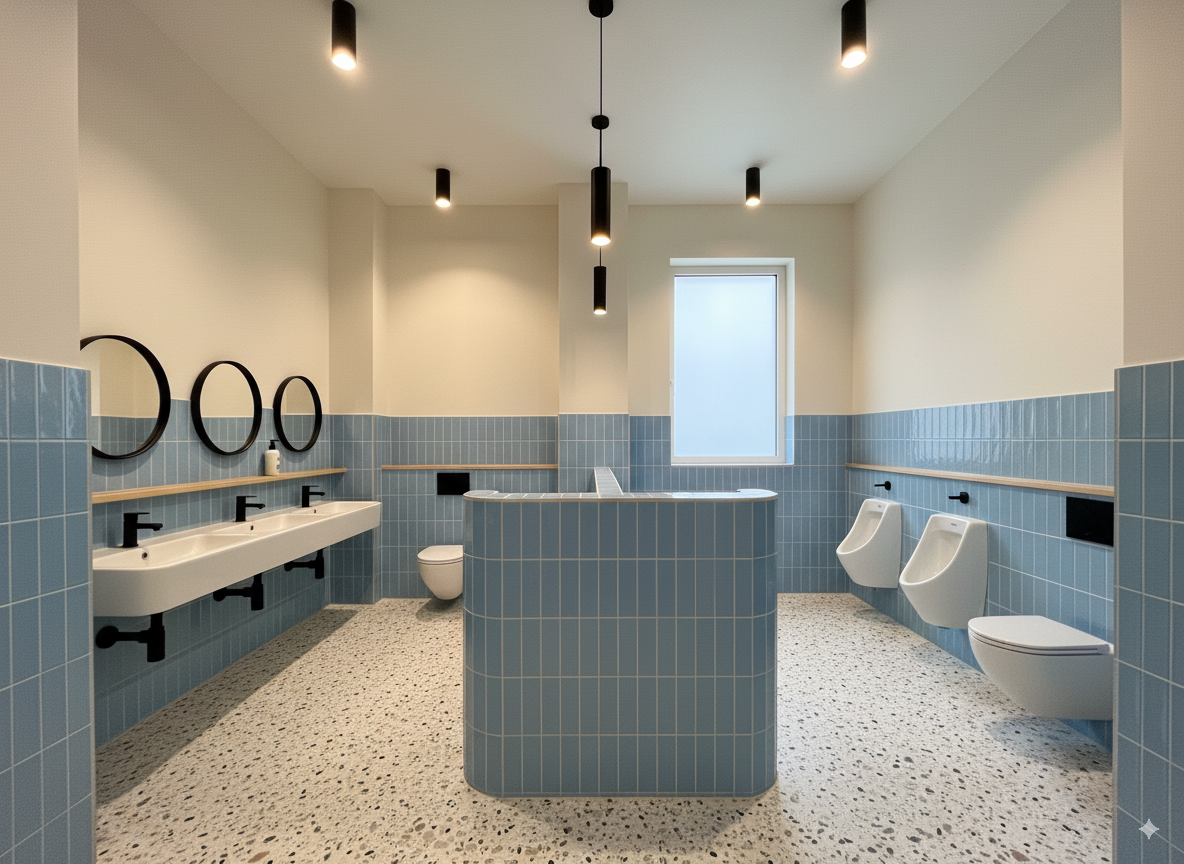
其他測試的輸出
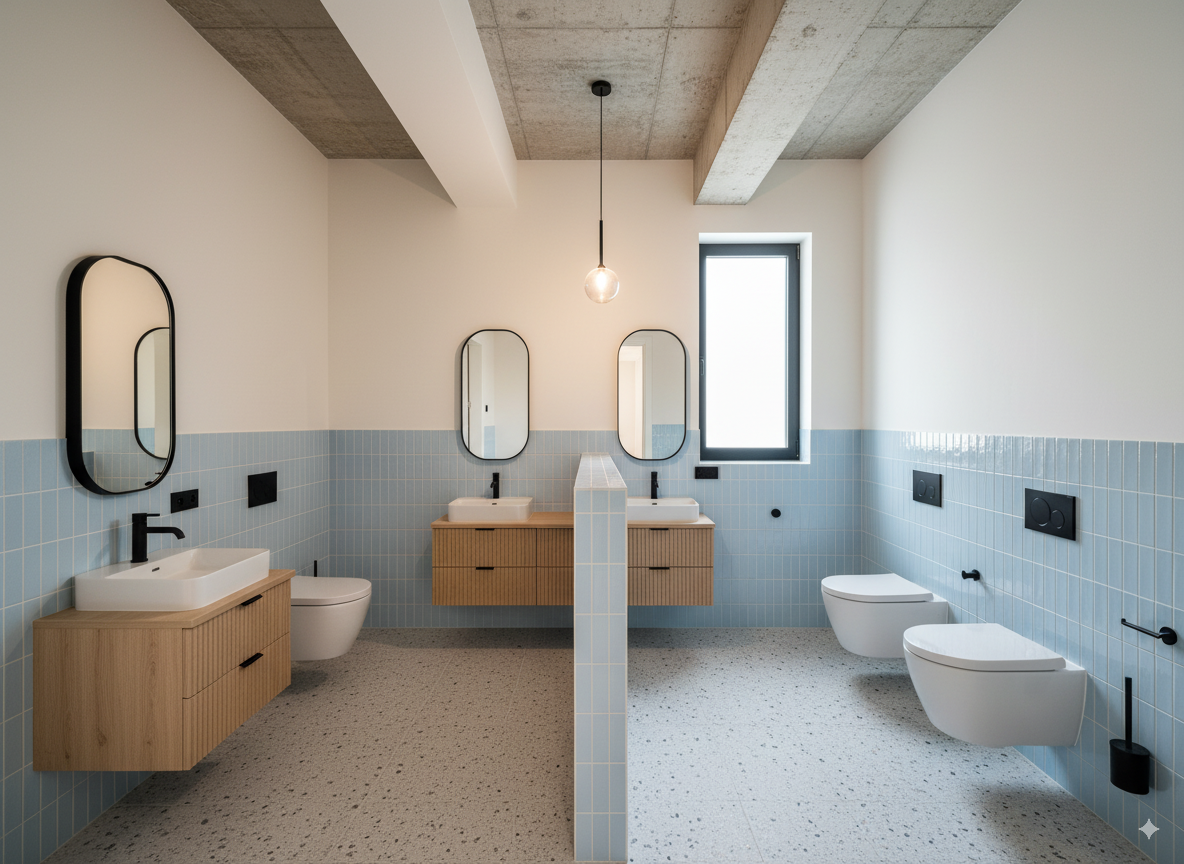
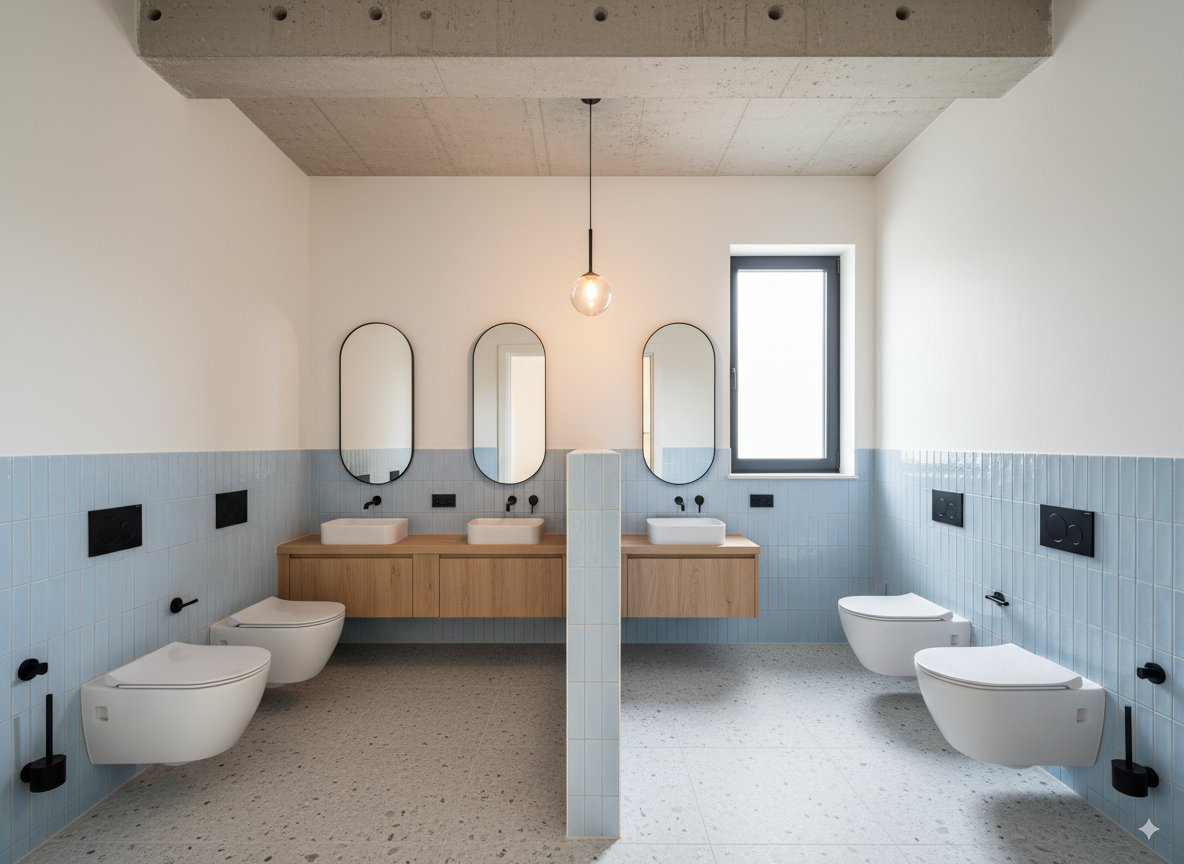
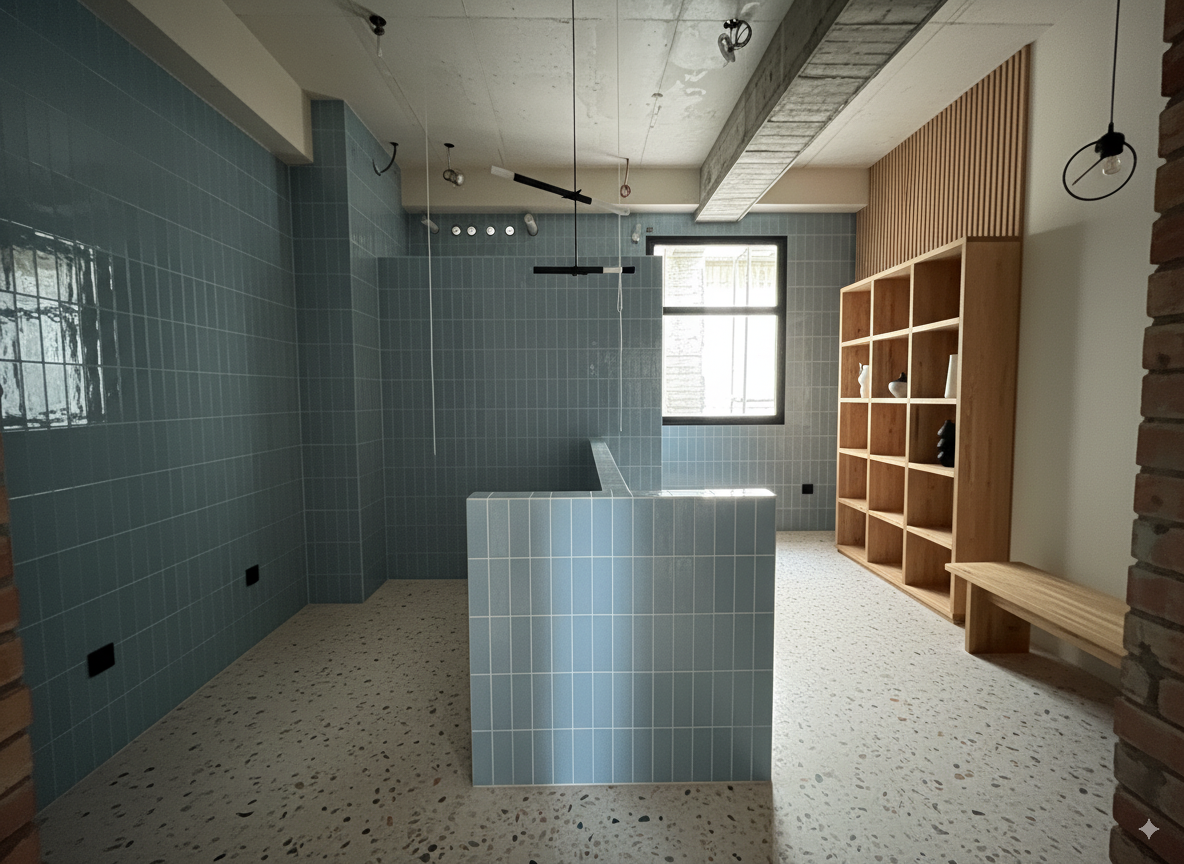
渲染圖 → 套真實材質、調整空間細節#
這階段嘗試從一張既有的渲染圖片,去調整其中的細節。
第1-1階段#
用以上這張圖片為底圖,將圖片中的白牆、柱等等改成以下這個塗料材質
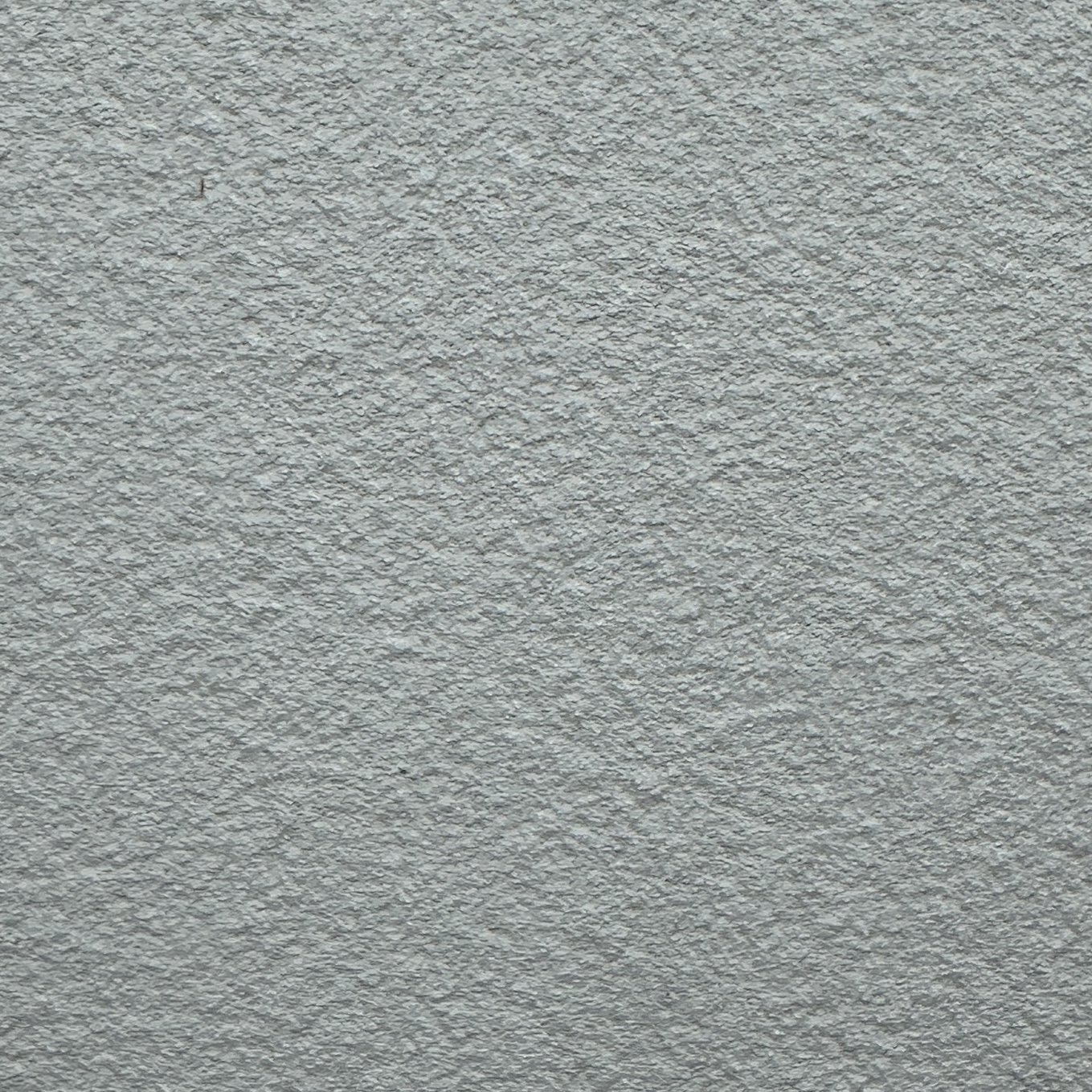
直接給圖片做參考:
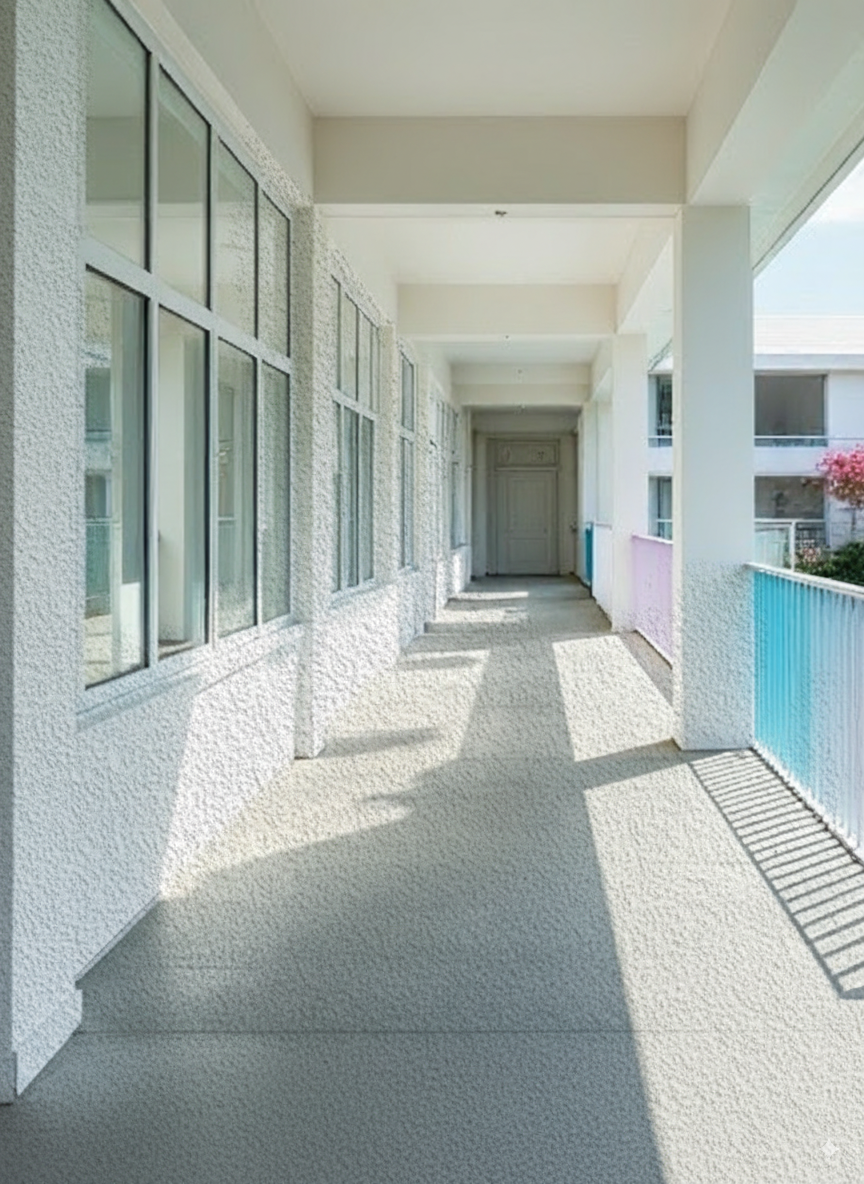
構圖比例失控、材質顆粒過大(Scale沒有自動對齊),即使後續對話請他調整texture mapping也還是沒救。
很怪,總覺得應該要可以的,不然將參考圖片轉成文字的話就失去很多細節了,可能之後再調整一下文字prompt的部分。
第1-2階段#
改成把材質描述成文字,用文字做prompt
輸出:
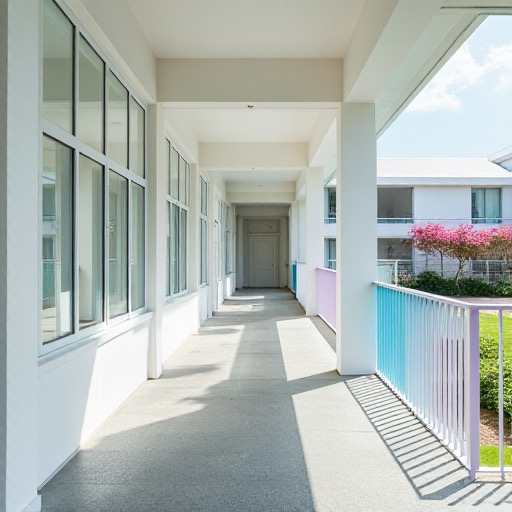
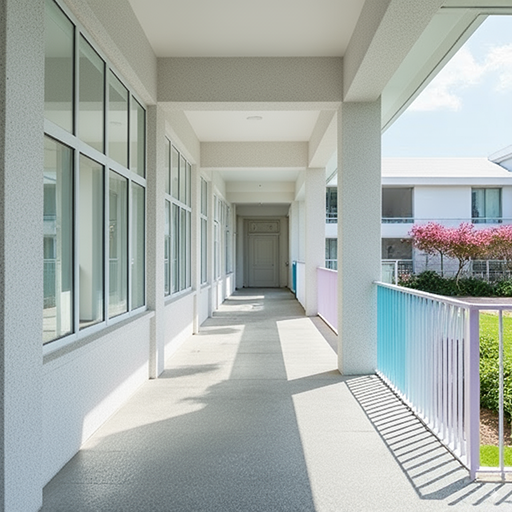
材質顆粒正常,但色調有些偏移,應該是文字描述的關係。
第2階段#
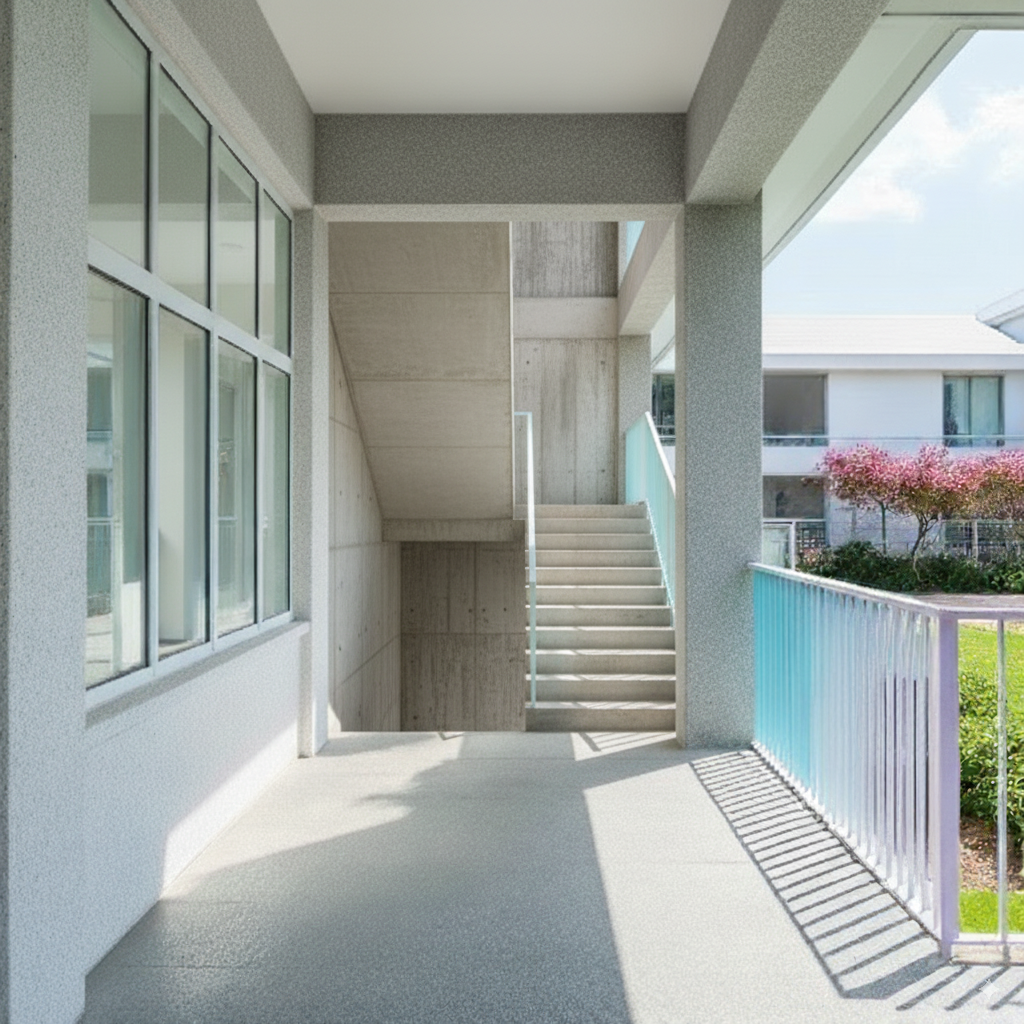
再調整渲染圖中錯誤的細節(走廊盡頭的門改成樓梯)
測試包含三種,
- 直接用文字描述或是
- 給他以下參考圖片
- 編輯參考圖片 Zoom in (crop) 進去樓梯的部分後給他參考
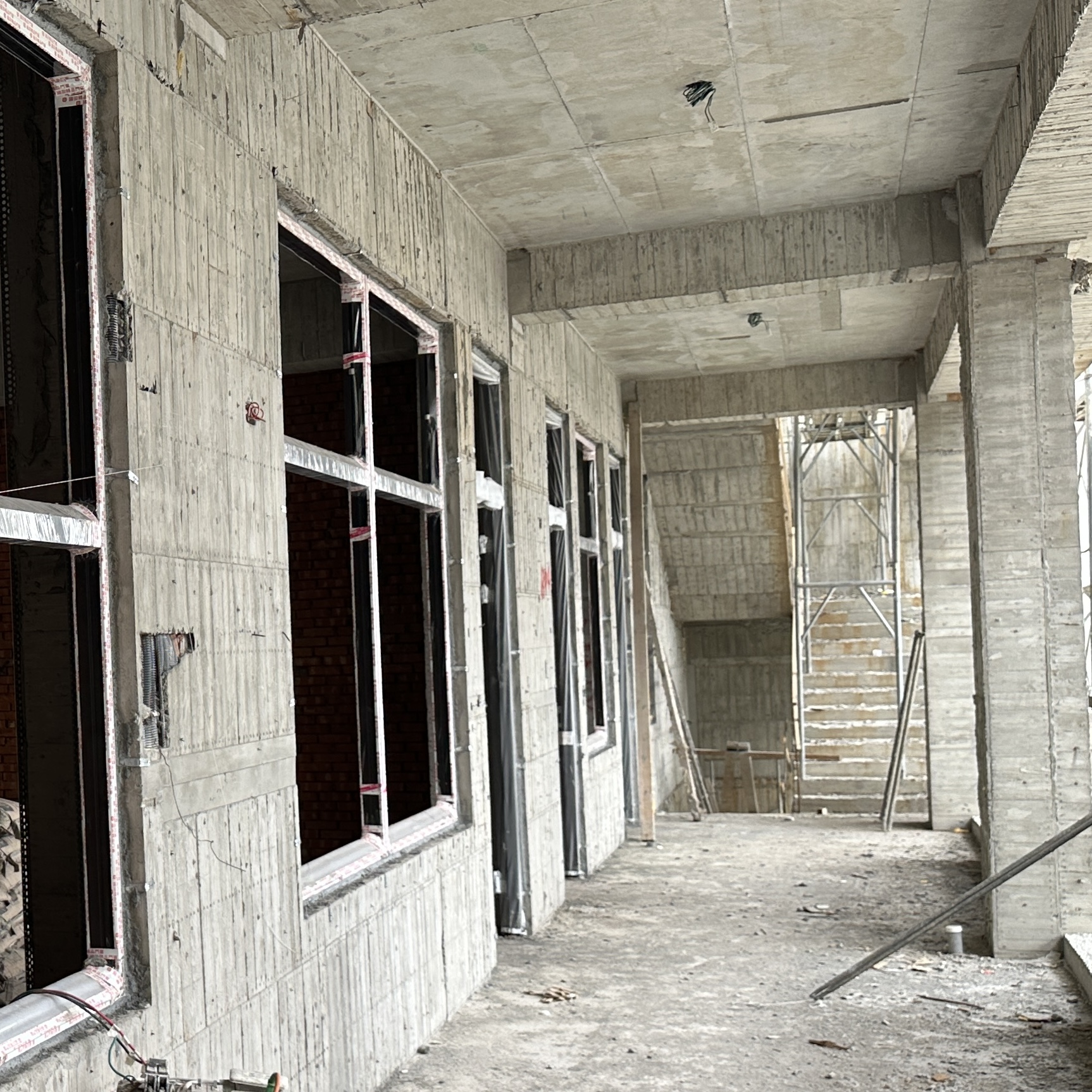
結果
純文字
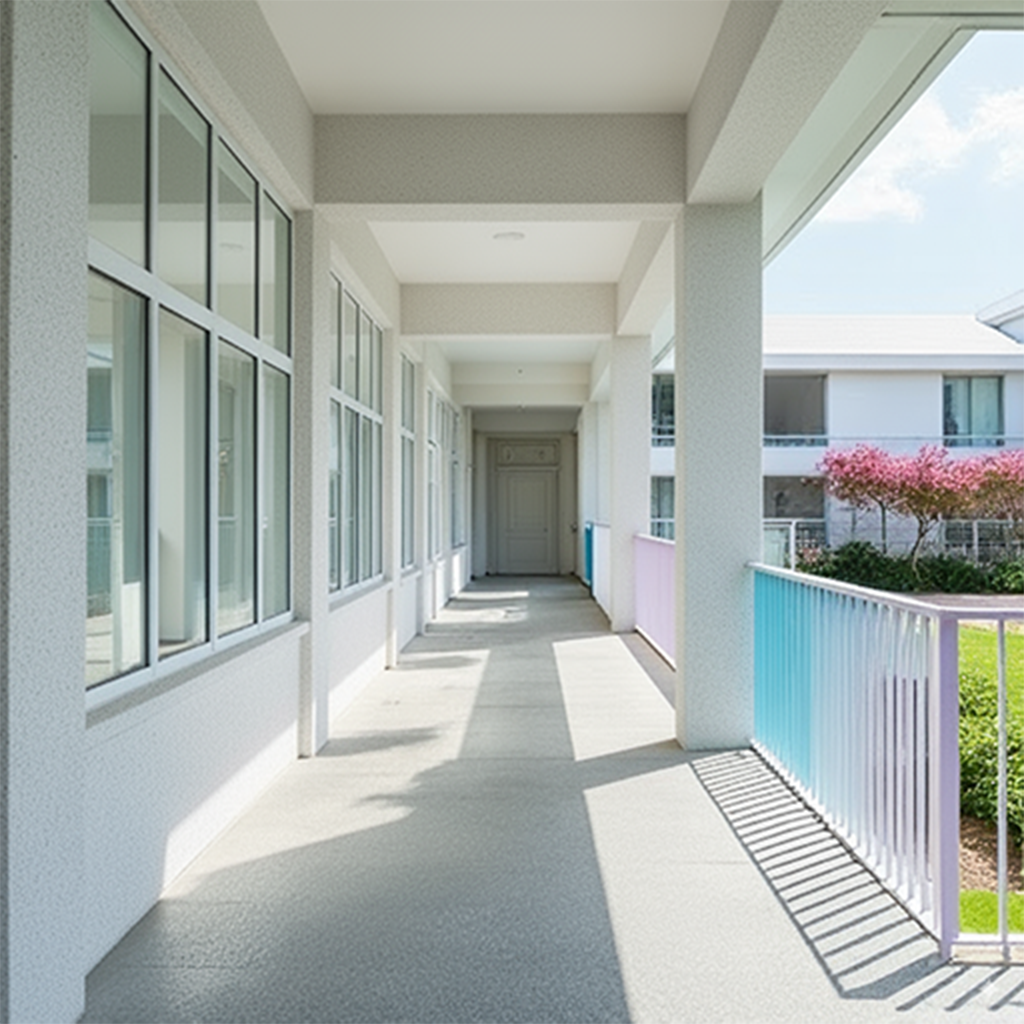
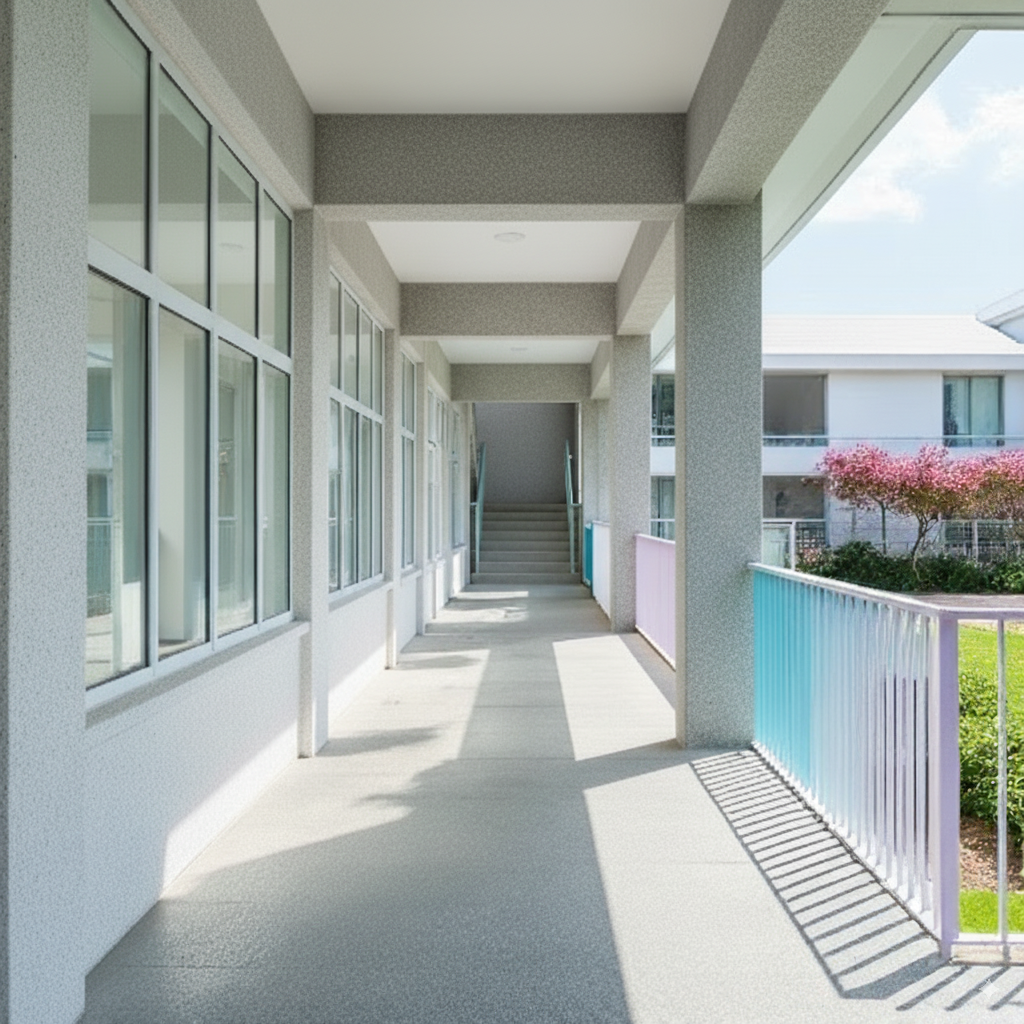
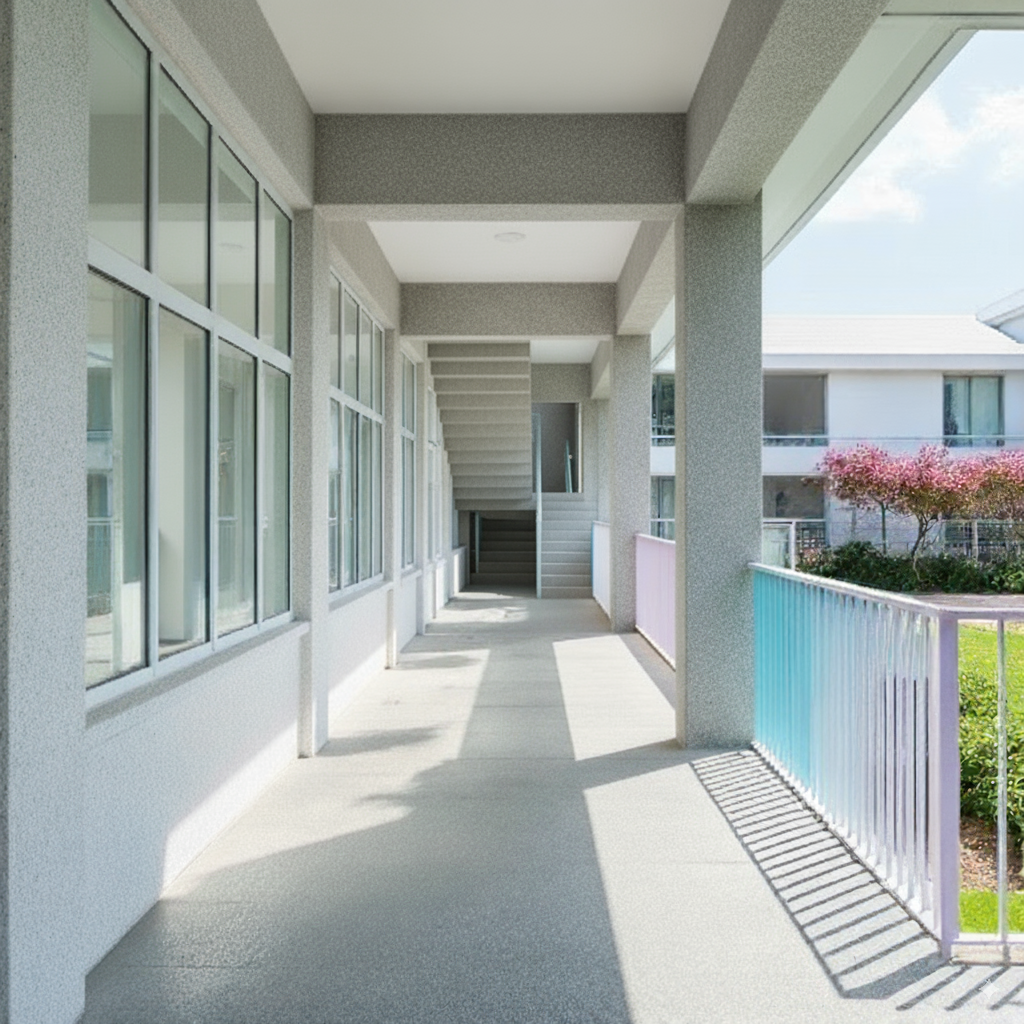
參考圖(沒有zoom in進去樓梯的部分)
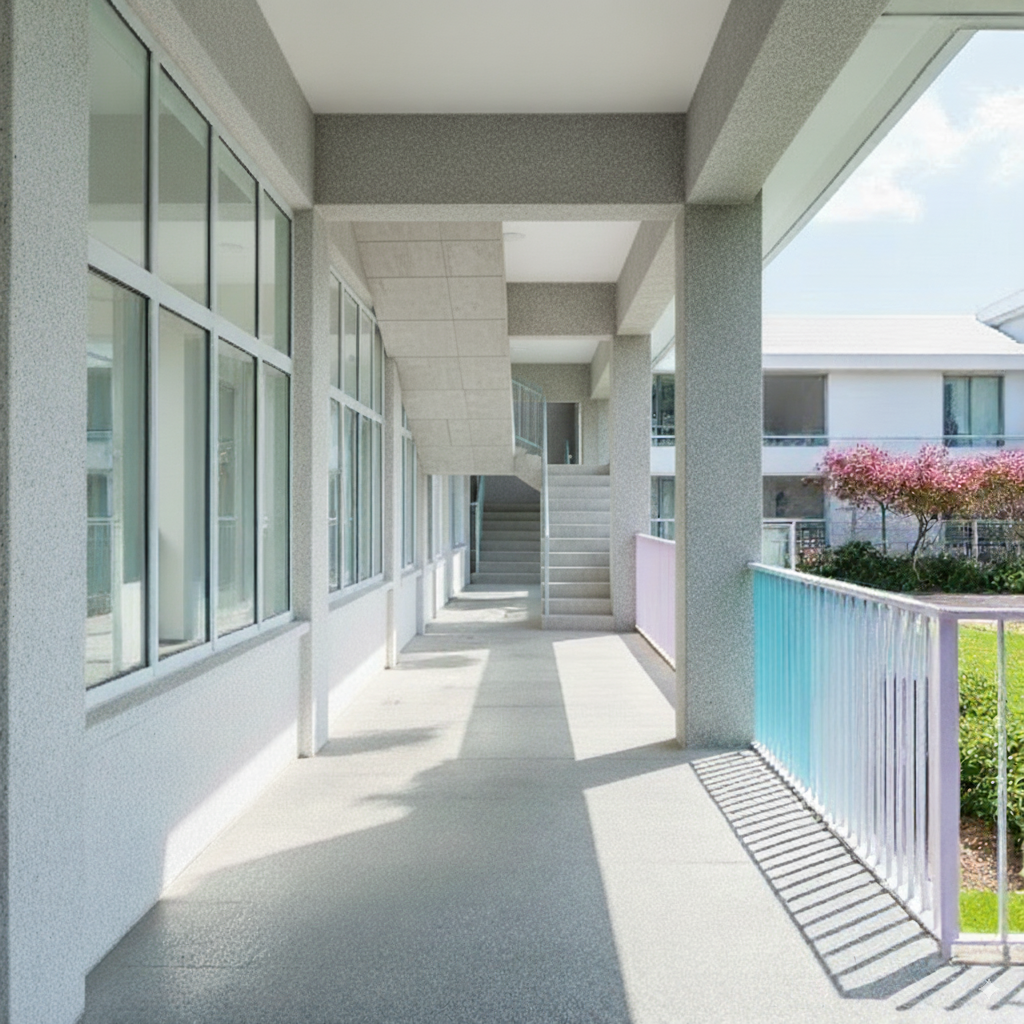
重複測試
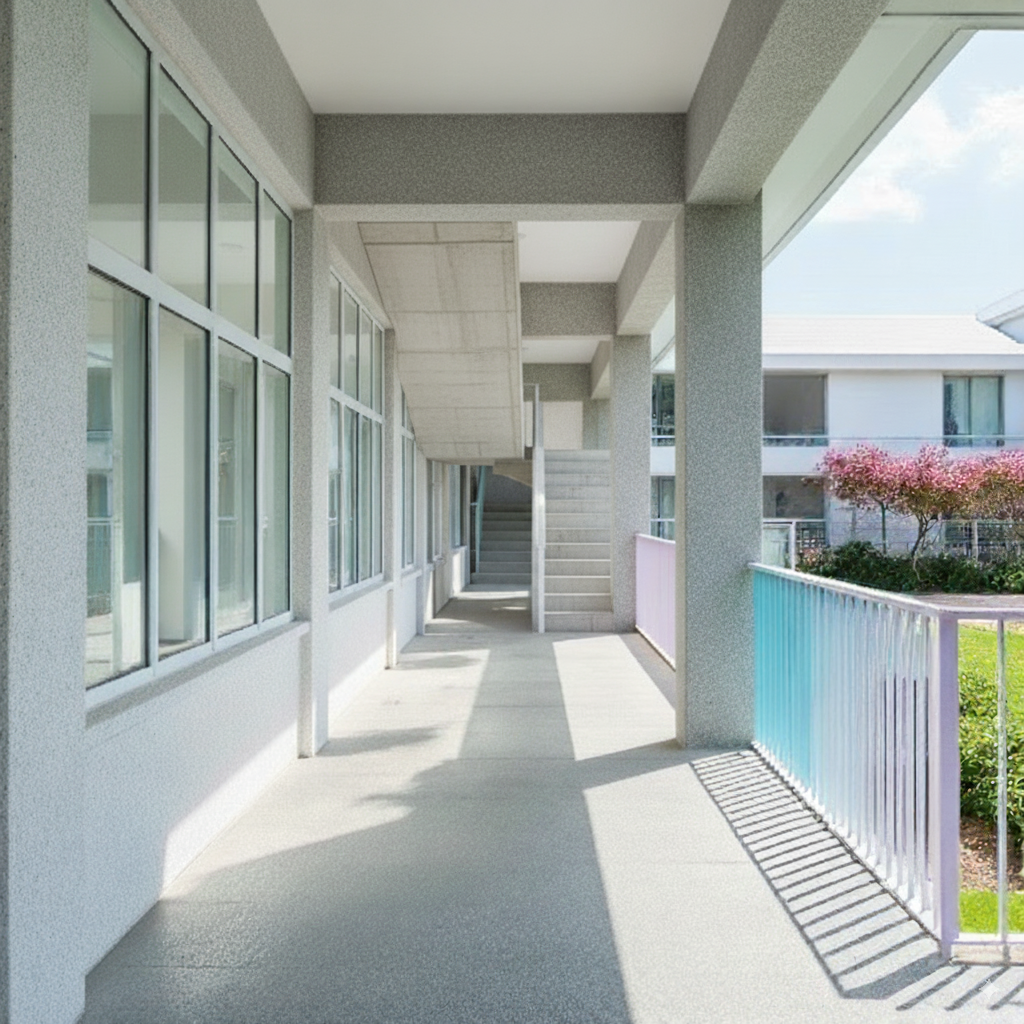
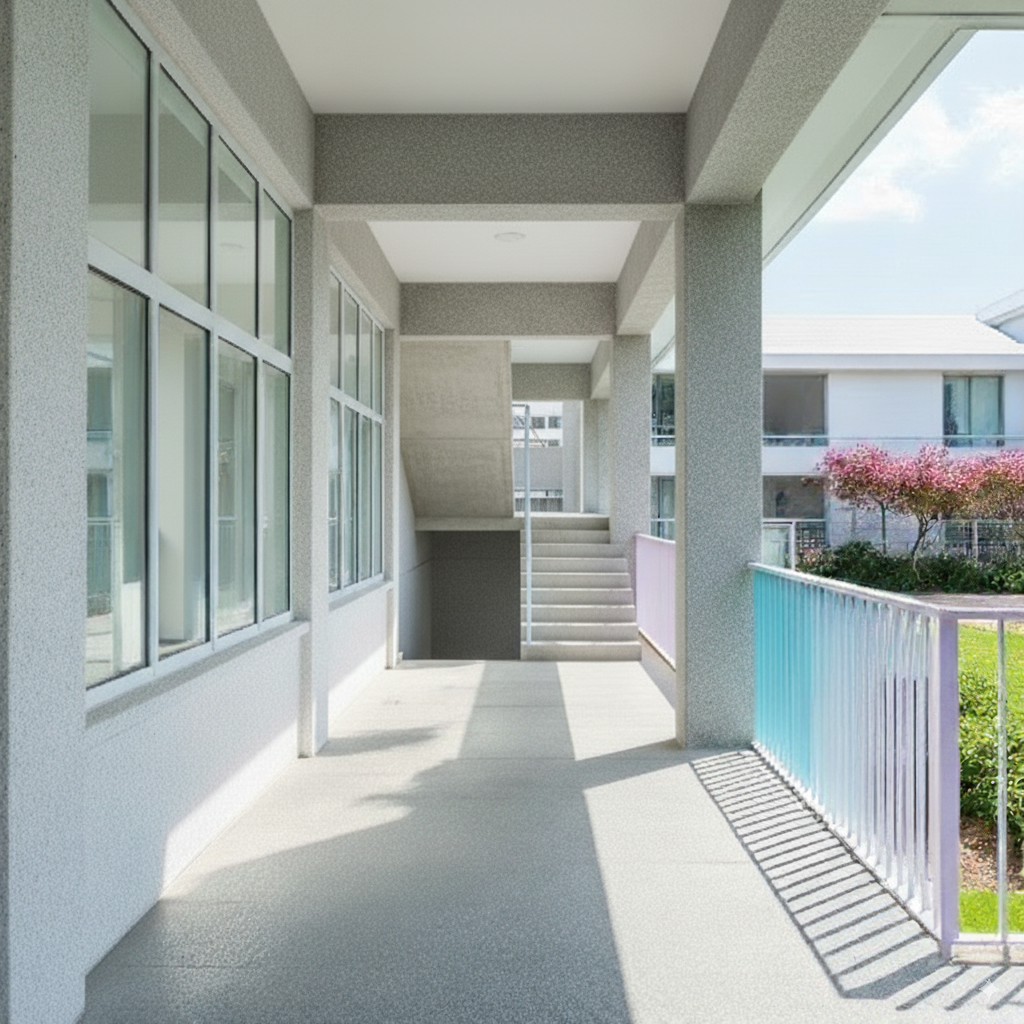
參考圖(有zoom in進去樓梯的部分)
重複測試
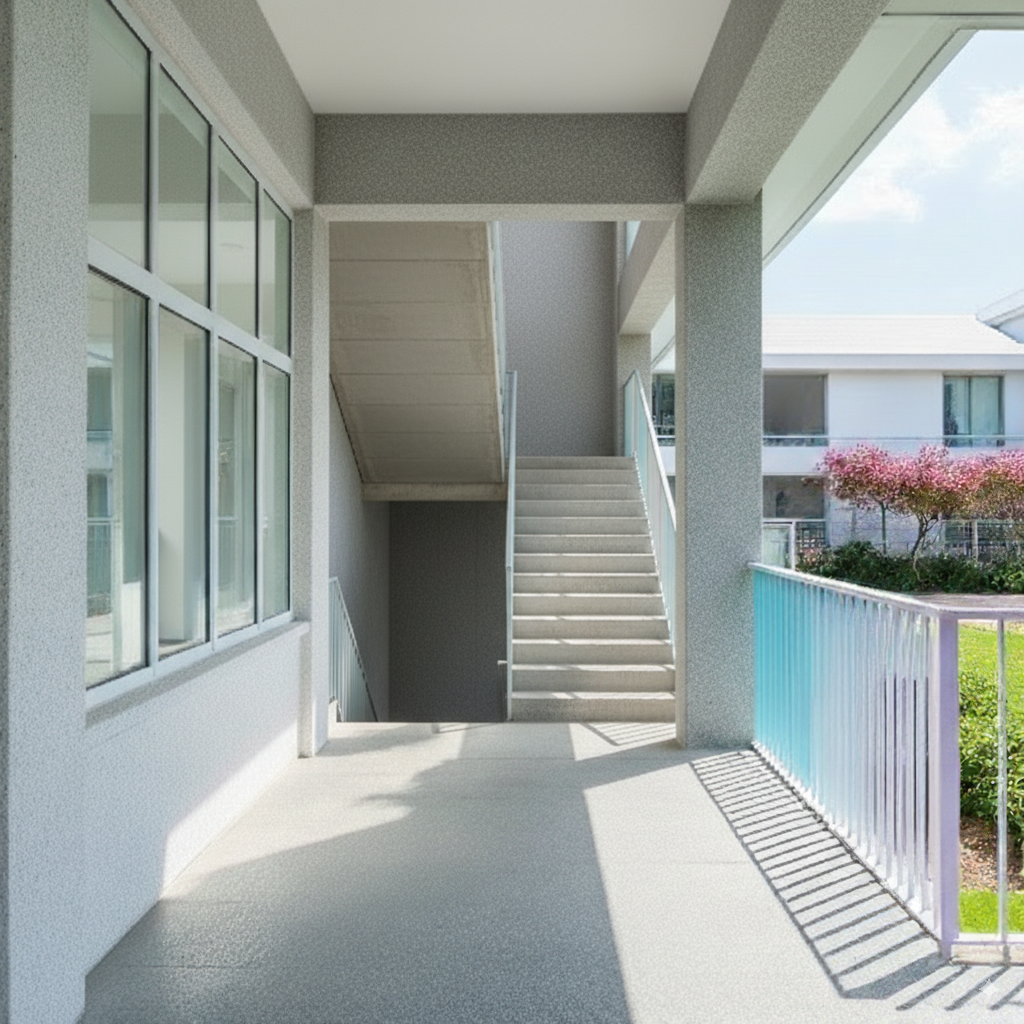
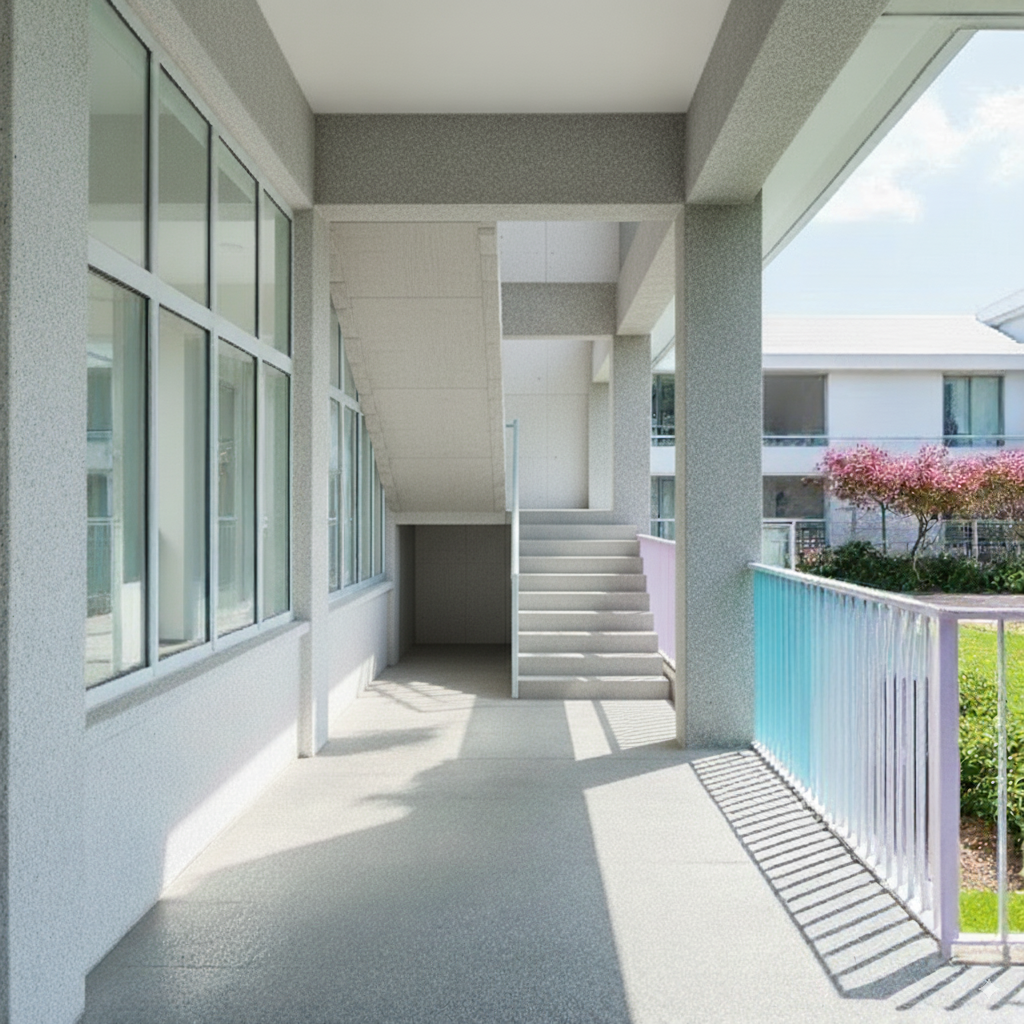
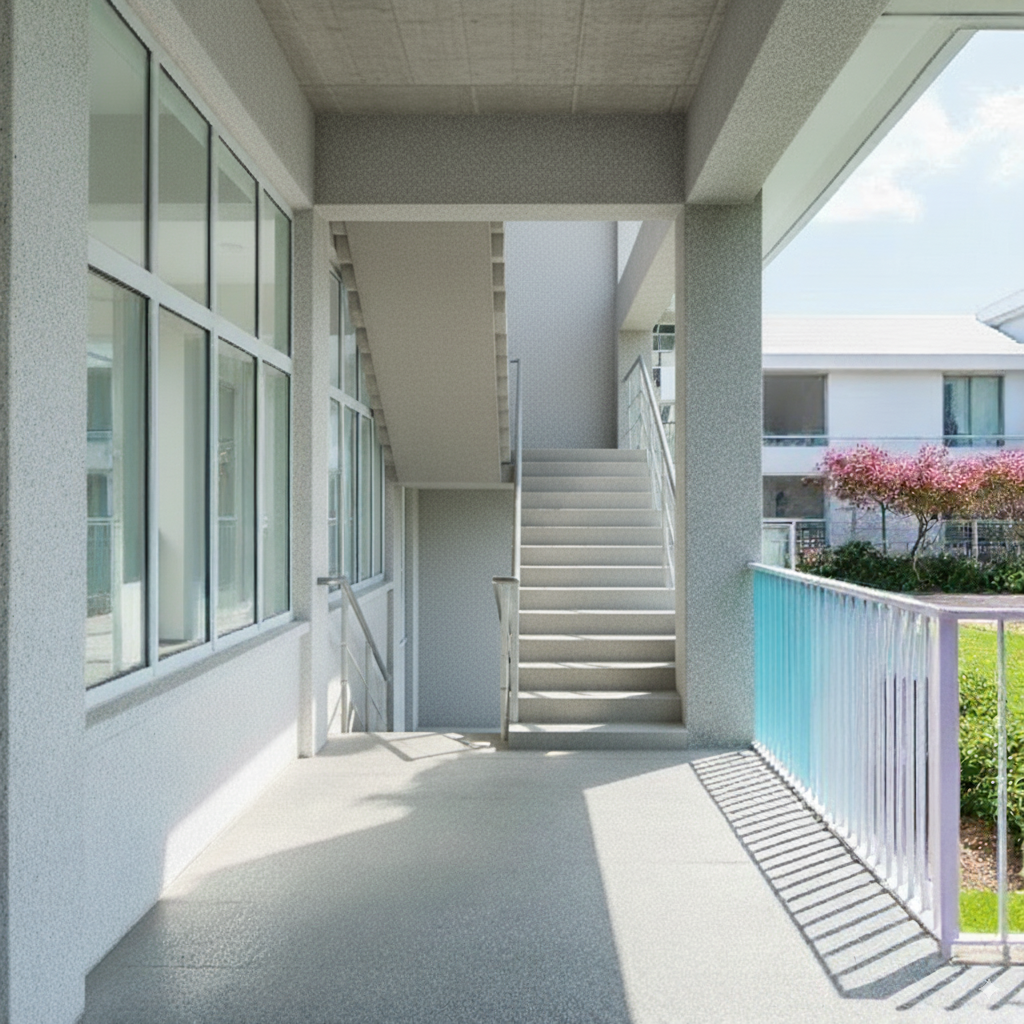
發現直接使用文字效果比參考圖片好,參考圖片的構圖也會影響輸出,導致生成出來的整個建築空間改變了
總結#
這部分測試下來,覺得主要是底圖本身雜訊太多導致輸出不穩。另外是本身這個空間很難直接用文字去描述(最後面還有一間隔間,但只有兩張生成結果有稍微出現)。
之後值得測試其他的方式
- 先將現場圖片轉白模乾淨線稿,再去生渲染(中間或許可以以白模狀態去調整模型細節)
- 搭配平面圖去給模型空間描述(覺得會成功機率不高)
Extra#
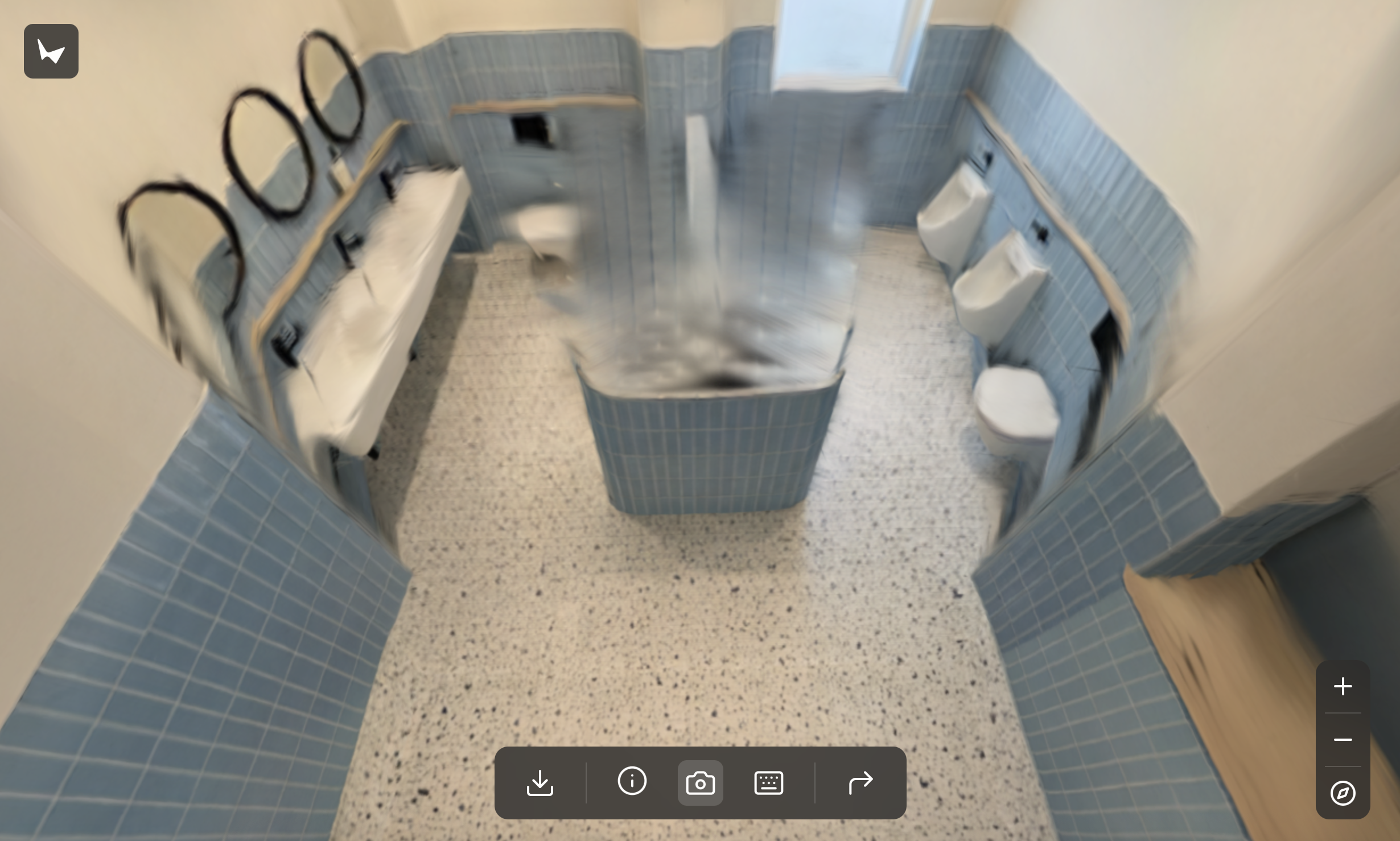
最後額外嘗試直接丟給World Labs的Marble去做場景生成(又是另一門大學問)
點擊以下圖片進入Marble World!